

Microsoft launch their next-generation server products at an event in Los Angeles, and there's some all-too-predictable 'features' they wanted to talk about.
The products officially launched at the event are Windows Server 2008 – a replacement for the current Windows Server 2003 R2 – along with SQL Server 2008 and Visual Studio 2008 for all the application developers out there.
The new Windows release addresses several major user requirements and issues with Microsoft’s server operating system platform, including toughening up security and authentication options, as well as providing a platform for its new virtualisation technology, Hyper-V.
Kicking off more than 225 events around the world, and joined by over 4,000 customers and partners, Microsoft Chief Executive Officer Steve Ballmer showcased the next generation of infrastructure and application platform products, including Microsoft Windows Server 2008, Microsoft Visual Studio 2008, and Microsoft SQL Server 2008.
Source : Shodan.in, Bit-tech.net, micro soft.com


The Finnish company Nokia, in collaboration with Cambridge University, introduced the concept of mobile phones, code-named Morph. Looking at it understandable - for the future of mobile devices in nanotechnology.
Nokia Morph is unlikely to ever see the light. Its mission is not in this. It is designed to show how modern technology can change the habits we devices, and how can some gadgets look after 10 years.
Morph is a device that the owner may drop to bending, add to, drag, giving it a form factor that wish. Nanotehnolgii responsible not only for this but also, for example, samoochischayuschuyusya surface of a transparent or e-stuffing.
Finnish manufacturer said that the elements will be carefully Morph and gradually inserted in the portable device Nokia. But this does not happen earlier than 7 years.
Source :: TechLivez

DOS Command-line tools must be run at the prompt of the Cmd.exe command interpreter. To open Command Prompt, click Start, click Run, type cmd, and then click OK
1 ANSI.SYS -- Defines functions that change display graphics, control cursor movement, and reassign keys.
2 APPEND -- Causes MS-DOS to look in other directories when editing a file or running a command.
3 ARP -- Displays, adds, and removes arp information from network devices
4 ASSIGN -- Assign a drive letter to an alternate letter
5 ASSOC -- View the file associations
6 AT -- Schedule a time to execute commands or programs.
7 ATMADM -- Lists connections and addresses seen by Windows ATM call manager.
8 ATTRIB -- Display and change file attributes.
9 BATCH -- NRecovery console command that executes a series of commands in a file.
10 BOOTCFG -- Recovery console command that allows a user to view, modify, and rebuild the boot.ini
11 BREAK -- Enable / disable CTRL + C feature.
12 CACLS -- View and modify file ACL's.
13 CALL -- Calls a batch file from another batch file.
14 CD -- Changes directories.
15 CHCP -- Supplement the International keyboard and character set information.
16 CHDIR -- Changes directories.
17 CHKDSK -- Check the hard disk drive running FAT for errors.
18 CHKNTFS -- Check the hard disk drive running NTFS for errors.
19 CHOICE -- Specify a listing of multiple options within a batch file.
20 CLS -- Clears the screen.
21 CMD -- Opens the command interpreter.
22 COLOR -- Easily change the foreground and background color of the
MS-DOS window.
23 COMP -- Compares files.
24 COMPACT -- Compresses and uncompress files.
25 CONTROL -- Open control panel icons from the MS-DOS prompt.
26 CONVERT Convert FAT to NTFS.
27 COPY -- Copy one or more files to an alternate location.
28 CTTY -- Change the computers input/output devices.
29 DATE -- View or change the systems date.
30 DEBUG -- Debug utility to create assembly programs to modify hardware settings.
31 DEFRAG -- Re-arrange the hard disk drive to help with loading programs.
32 DEL -- Deletes one or more files.
33 DELETE -- Recovery console command that deletes a file.
34 DELTREE -- Deletes one or more files and/or directories.
35 DIR -- List the contents of one or more directory.
36 DISABLE -- Recovery console command that disables Windows system services or drivers.
37 DISKCOMP -- Compare a disk with another disk.
38 DISKCOPY -- Copy the contents of one disk and place them on another disk.
39 DOSKEY -- Command to view and execute commands that have been run in the past.
40 DOSSHELL -- A GUI to help with early MS-DOS users.
41 DRIVPARM -- Enables overwrite of original device drivers.
42 ECHO -- Displays messages and enables and disables echo.
43 EDIT -- View and edit files.
44 EDLIN -- View and edit files.
45 EMM386 -- Load extended Memory Manager.
46 ENABLE -- Recovery console command to enable a disable service or driver.
47 ENDLOCAL -- Stops the localization of the environment changes
enabled by the setlocal command.
48 ERASE -- Erase files from computer.
49 EXPAND -- Expand a Microsoft Windows file back to it's original format.
50 EXIT -- Exit from the command interpreter.
51 EXTRACT -- Extract files from the Microsoft Windows cabinets.
52 FASTHELP -- Displays a listing of MS-DOS commands and information about them
53 FC -- Compare files.
54 FDISK -- Utility used to create partitions on the hard disk drive.
55 FIND -- Search for text within a file.
56 FINDSTR -- Searches for a string of text within a file.
57 FIXBOOT -- Writes a new boot sector.
59 FIXMBR -- Writes a new boot record to a disk drive.
60 FOR -- Boolean used in batch files.
61 FORMAT -- Command to erase and prepare a disk drive.
62 FTP -- Command to connect and operate on a FTP server.
63 FTYPE -- Displays or modifies file types used in file extension
associations.
64 GOTO -- Moves a batch file to a specific label or location.
65 GRAFTABL -- Show extended characters in graphics mode.
66 HELP -- Display a listing of commands and brief explanation.
67 IF -- Allows for batch files to perform conditional processing.
68 IFSHLP.SYS -- 32-bit file manager.
69 IPCONFIG -- Network command to view network adapter settings and assigned values.
70 KEYB -- Change layout of keyboard.
71 LABEL -- Change the label of a disk drive.
72 LH -- Load a device driver in to high memory.
73 LISTSVC -- Recovery console command that displays the services and drivers.
74 LOADFIX -- Load a program above the first 64k.
75 LOADHIGH -- Load a device driver in to high memory.
76 LOCK -- Lock the hard disk drive.
77 LOGON -- Recovery console command to list installations and enable administrator login.
78 MAP -- Displays the device name of a drive.
79 MD -- Command to create a new directory.
80 MEM -- Display memory on system.
81 MKDIR -- Command to create a new directory.
82 MODE -- Modify the port or display settings.
83 MORE -- Display one page at a time.
84 MOVE -- Move one or more files from one directory to another DIRECTORY
85 MSAV -- Early Microsoft Virus scanner.
86 MSD -- Diagnostics utility.
87 MSCDEX -- Utility used to load and provide access to the CD-ROM.
88 NBTSTAT -- Displays protocol statistics and current TCP/IP connections using NBT
89 NET -- Update, fix, or view the network or network settings
90 NETSH -- Configure dynamic and static network information from MS-DOS.
91 NETSTAT -- Display the TCP/IP network protocol statistics and information.
92 NLSFUNC -- Load country specific information.
93 NSLOOKUP -- Look up an IP address of a domain or host on a network.
94 PATH -- View and modify the computers path location
95 PATHPING -- View and locate locations of network latency
96 PAUSE -- command used in batch files to stop the processing of a command.
97 PING -- Test / send information to another network computer or network device .
98 POPD -- Changes to the directory or network path stored by the pushd command.
99 POWER -- Conserve power with computer portables.
100 PRINT -- Prints data to a printer port.
101 PROMPT -- View and change the MS-DOS prompt.
102 PUSHD -- Stores a directory or network path in memory so it can be returned to at any time.
103 QBASIC -- Open the QBasic.
104 RD -- Removes an empty directory.
105 REN -- Renames a file or directory.
106 RENAME -- Renames a file or directory.
107 RMDIR -- Removes an empty directory.
108 ROUTE -- View and configure windows network route tables.
109 RUNAS -- Enables a user to execute a program on another
computer.
110 SCANDISK -- Run the scandisk utility.
111 SCANREG -- Scan registry and recover registry from errors.
112 SET -- Change one variable or string to another.
113 SETLOCAL -- Enables local environments to be changed without affecting anything else.
114 SHARE -- Installs support for file sharing and locking capabilities.
115 SETVER -- Change MS-DOS version to trick older MS-DOS programs.
116 SHIFT -- Changes the position of replaceable parameters in a batch program.
117 SHUTDOWN -- Shutdown the computer from the MS-DOS prompt.
118 SMARTDRV -- Create a disk cache in conventional memory or extended memory.
119 SORT -- Sorts the input and displays the output to the screen.
120 START -- Start a separate window in Windows from the MS-DOS prompt.
121 SUBST -- Substitute a folder on your computer for another drive letter.
122 SWITCHES -- Remove add functions from MS-DOS.
123 SYS -- Transfer system files to disk drive.
124 TELNET -- Telnet to another computer / device from the prompt.
125 TIME -- View or modify the system time.
126 TITLE -- Change the title of their MS-DOS window.
127 TRACERT -- Visually view a network packets route across a network.
128 TREE -- View a visual tree of the hard disk drive.
129 TYPE -- Display the contents of a file.
130 UNDELETE -- Undelete a file that has been deleted.
131 UNFORMAT -- Unformat a hard disk drive.
132 UNLOCK -- Unlock a disk drive.
133 VER -- Display the version information.
134 VERIFY -- Enables or disables the feature to determine if files have been written properly.
135 VOL -- Displays the volume information about the designated drive.
136 XCOPY -- Copy multiple files, directories, and/or drives from one location to another.
137 TRUENAME -- When placed before a file, will display the whole directory in which it exists
138 TASKKILL -- It allows you to kill those unneeded or locked up applications
AutoPlay or AutoRun dialog window will pop up when an removable drive, portable device such as digital camera and media player or CD/DVD disc been inserted into computer or placed into optical drive, with plenty of action choices in a list of options for users to choose to perform on the just connected drive and drive contents. Each item in the AutoPlay list is a handler installed by various applications to show as an option for a particular events or content types such as Pictures, Videos, and Mixed.
Windows by default has several AutoPlay handlers, and other third-party programs, especially media player such as MusicMatch Jukebox and RealPlayer, and image burning software such as Nero will add their own AutoPlay handlers and shortcuts into the list. Over the time, the AutoPlay list can get longer and longer, and some entries can become invalid or orphaned when the program has been uninstalled by the AutoPlay handlers are not removed.
To delete and remove an entry or item from AutoPlay menu, its corresponding handler in the registry has to be deleted. To make the management of AutoPlay entries easier, such as to delete and remove an unwanted or unneeded entry in AutoPlay menu, an AutoPlay cleanup utility is available.
CleanHandlers is a AutoPlay handlers cleanup utility that able to scan and find invalid AutoPlay entries and remove those junk handlers automatically. The CleanHandlers also allows users to delete and remove the AutoPlay items that they no longer needed or doesn’t want the items to appear on the menu list. Find out more information about CleanHandlers or download CleanHandlers here. It supports Windows XP and Windows Vista.
It’s also possible to manually edit the system registry to remove the AutoPlay handlers. The AutoPlay handlers are stored at the following registry location:
HKEY_LOCAL_MACHINE\Software\Microsoft\Windows
\CurrentVersion\Explorer\AutoplayHandlers\Handlers\
Above registry key stores handler settings, which is the action to perform when selected on AutoPlay.
HKEY_LOCAL_MACHINE\Software\Microsoft\Windows
\CurrentVersion\Explorer\AutoplayHandlers\EventHandlers\
Above registry key stores various event names, which contains associated handlers. Which mean all entries added as the value for the event will be shown as an option when the particular event happens and trigger the AutoPlay menu dialog.
Note that any wrong modification to the registry may cause instability. So if you plan to remove any handlers directly from the registry, backup the key before modifying.

Getting to know your Run dialog box is like mastering your PC's applications and how to open them quickly as possible. In this list of run commands (partially complete), you may find this useful and very convenient to use. This guide also includes secret commands to open hidden applications.
Let us start on how to open your Run dialog box.
Here is the step using your mouse:
Go to, and click on the Start button, then select and click Run... while the keyboard technique is [Windows] - [R]. The [Windows] key is located between the [Ctrl] and [Alt] key.
This is your Run Dialog Box:
So here are the list of the Run commands. Just type it on the Run Dialog Box.
Accessibility Controls: access.cpl
Add Hardware Wizard: hdwwiz.cpl
Add/Remove Programs: appwiz.cpl
Administrative Tools: control.exe admintools
Automatic Updates: wuaucpl.cpl
Calculator: calc
Certificate Manager: certmgr.msc
Character Map: charmap
Check Disk Utility: chkdsk
Clipboard Viewer: clipbrd
Command Prompt: cmd
Component Services: dcomcnfg
Computer Management: compmgmt.msc
Date and Time Properties: timedate.cpl
DDE Shares: ddeshare
Device Manager: devmgmt.msc
Direct X Control Panel (if installed): directx.cpl
Direct X Troubleshooter: dxdiag
Disk Cleanup Utility: cleanmgr
Disk Defragment: dfrg.msc
Disk Management: diskmgmt.msc
Disk Partition Manager: diskpart
Display Properties: control.exe desktop
Display Properties: desk.cpl
Display Properties (w/Appearance Tab Preselected): control.exe color
Dr. Watson System Troubleshooting Utility: drwtsn32
Driver Verifier Utility: verifier
Event Viewer: eventvwr.msc
File Signature Verification Tool: sigverif
Findfast: findfast.cpl
Folders Properties: control.exe folders
Fonts: control.exe fonts
Fonts Folder: fonts
Free Cell Card Game: freecell
Game Controllers: joy.cpl
Group Policy Editor (XP Prof): gpedit.msc
Hearts Card Game: mshearts
Iexpress Wizard: iexpress
Indexing Service: ciadv.msc
Internet Properties: inetcpl.cpl
Java Control Panel (if installed): jpicpl32.cpl
Java Control Panel (if installed): javaws
Keyboard Properties: control.exe keyboard
Local Security Settings: secpol.msc
Local Users and Groups: lusrmgr.msc
Logs You Out Of W*NDOW$: logoff
Mcft Chat: winchat
Minesweeper Game: winmine
Mouse Properties: control.exe mouse
Mouse Properties: main.cpl
Network Connections: control.exe netconnections
Network Connections: ncpa.cpl
Network Setup Wizard: netsetup.cpl
Nview Desktop Manager (if installed): nvtuicpl.cpl
Object Packager: packager
ODBC Data Source Administrator: odbccp32.cpl
On Screen Keyboard: osk
Opens AC3 Filter (if installed): ac3filter.cpl
Password Properties: password.cpl
Performance Monitor: perfmon.msc
Performance Monitor: perfmon
Phone and Modem Options: telephon.cpl
Power Configuration: powercfg.cpl
Printers and Faxes: control.exe printers
Printers Folder: printers
Private Character Editor: eudcedit
Quicktime (If Installed): QuickTime.cpl
Regional Settings: intl.cpl
Registry Editor: regedit
Registry Editor: regedit32
Removable Storage: ntmsmgr.msc
Removable Storage Operator Requests: ntmsoprq.msc
Resultant Set of Policy: rsop.msc
Resultant Set of Policy (XP Prof): rsop.msc
Scanners and Cameras: sticpl.cpl
Scheduled Tasks: control.exe schedtasks
Security Center: wscui.cpl
Services: services.msc
Shared Folders: fsmgmt.msc
Shuts Down W*NDOW$: shutdown
Sounds and Audio: mmsys.cpl
Spider Solitare Card Game: spider
SQL Client Configuration: cliconfg
System Configuration Editor: sysedit
System Configuration Utility: msconfig
System File Checker Utility: sfc
System Properties: sysdm.cpl
Task Manager: taskmgr
Telnet Client: telnet
User Account Management: nusrmgr.cpl
User Passwords: Control userpasswords2
Utility Manager: utilman
W*NDOW$ Firewall: firewall.cpl
W*NDOW$ Magnifier: magnify
W*NDOW$ Management Infrastructure: wmimgmt.msc
W*NDOW$ System Security Tool: syskey
W*NDOW$ Update Launches: wupdmgr
W*NDOW$ XP Tour Wizard: tourstart
Wordpad: write
Direct X Diagnostics: dxdiag
Microsoft Notepad: notepad
Microsoft Paint: mspaint
Microsoft Word: msword
Microsoft Excel: excel
Microsoft PowerPoint: powerpnt
Microsoft FrontPage: frontpg
Microsoft Access: msaccess
Microsoft Outlook: outlook
Internet Explorer: iexplore, iexplore -k for kiosk mode (fullscreen mode) ,
iexplore -e to open Windows Explorer at the left pane
Windows Explorer: explore

Have you ever refreshed a webpage but the content that is suppose to be there isn't? that's because your computer is using a cached version of the page instead of the newly updated version on the remote server. To get the remote version and not the cached version, hold down your "ctrl" key and while keeping it pressed down, press your "F5" key (F5 pressed alone without the "ctrl" key also does a normal refresh, just like when you click the refresh button of your browser).
Knowing all these keyboard shortcuts can increase your efficiency whatever you use your computer for. Time is something we never get back so might as well use it the most efficiently possible right? :) isn't it cool.....

A Rainbow is something that has the power to stop you in your tracks when it unexpectedly appears when you’re least expecting to see one. They’re beautiful - but how do you photograph a rainbow?
Following are a few Rainbow Photography Tips that come to mind - feel free to add your own to comments below:
Find a Rainbow
This is probably the hardest part of the process. Their appearance will depend upon the conditions and they are something that will often happen completely out of the blue. Having said this - you should especially be on the look out for rainbows when you have two elements present - falling/spraying water droplets and bright sunlight. As a result they’re common when a storm is approaching and around waterfalls/sprinklers/fountains.
Backgrounds
As rainbows are not solid objects one of the keys to photographing them is to capture them in front of a background that allows them to stand out as much as possible. Ideally you’ll want to get a background that is uncluttered and if possible one that has darker colors (think dark clouds, mountains etc). While it’s not always possible to change the background - you might find that you’re able to change the angle that you’re shooting from or to focus just upon part of the rainbow that is in front of a good background.
Composition
While rainbows are a beautiful thing - it’s the surrounds that they appear in that make one rainbow photograph really stand out from others. As a result it’s important to carefully think about how you compose your shot when photographing them. Particularly pay attention to the following:
Foregrounds
Consider not only the background of your rainbow shots - but the foregrounds. These can add interest to the shot but also lead the eye towards focal points. Also scan the foreground for distractions that you could remove.
Multiple Rainbows
Keep in mind that where there is one rainbow there can often be a second one - or at least another layer of one that arches over the first. Including both can lead to an extra layer of interest in the shot
Polarizing Filter
If you have a polarizing filter experiment with rotating it to see what different effects it will have. You’ll find that in doing so you’ll get different saturations of colors, reflections and levels of contrast in your shot which can drastically impact the shot and help the rainbow to stand out more.
Aperture
Choosing different apertures will have less impact upon the rainbow itself and more effect upon the overall shot. Choose a small aperture and you’ll get as much of the scene in focus as possible (ie it’ll have a large depth of field).
Tripods
Keeping your camera as still as possible is important in all landscape shots - but it’s particularly important for rainbow shots as they often appear in darker conditions (like before a storm) and if you use a polarizing filter and a small aperture you’ll probably need to use a longer shutter speed. Of course rainbow shots are not something that you can always plan for - so you might need to find some alternative ways of securing your camera.
 Google Talk
1. Create a shortcut of Google Talk messenger on your desktop or any other preferred location .(To create a shortcut, right click on your Google Talk messenger application and select Send To–>Desktop(create shortcut) .
2. Right click on the Google Talk messenger icon and select Properties option
3. Modify target location text “c:\program files\google\google talk\googletalk.exe” /startmenu
To
“c:\program files\google\google talk\googletalk.exe” /nomutex
4. Click Ok
Now open Gtalk multiple times & login, depending on how many logins you want to make.
Yahoo Messenger could be enabled for multi user logging. It will be helpful if you have two IDs or you & your sister/brother wants to be online.

Yahoo! Messenger
Ethernet crossover cables are most often used in home networks when connecting two ethernet computers without a hub or switch or router. An Ethernet crossover cable has it's send and receive wires crossed. When using a hub or switch or router, this is automatically done for you.
What is the deference between patch cable and crossover cable?
As it is names it is simply twisting two pairs each other. In a network port one and two pins are for transmit, three and six pins are for receive. Cables 1 and 2 wires connect to pin 3 and 6. See the image for more details


HTTP - Hyper Text Transfer Protocol.
HTTPS- HTTP with Socket Secure Layer (SSL), content are encrypted before tranmitting over the Internet.
The main difference between http:// and https:// is, It's all about keeping you secure.
As many of you know, the difference between "http" and "https", is that "https" instructs the browser to initate an encrypted session with the web server before sending any data.
This means that the website is talking to your browser using the regular 'unsecure' language.
In other words, it is possible for someone to "eavesdrop" on your computer's conversation with the website.
If you fill out a form on the website, someone might see the information you send to that site.
This is why you never ever ever enter your credit card number in an http website!
But if the web address begins with https://, that basically means your computer is talking to the website in a secure code that no one can eavesdrop on.
You understand why this is so important, right?
If a website ever asks you to enter your credit card information, you should automatically look to see if the web address begins with https://.
If it doesn't, there's no way you're going to enter sensitive information like a credit card number
More Info :: http, https
HCL Infosystems launched ‘MiLeap’, a new ultra portable range of laptops, at a price point starting at Rs.13,990.
:::MiLeap X Ultra Portable Laptop:::
- Intel Celeron M Processor @ 900 MHz,
- Linux Operating System,
- Intel 915GMS Chipset,
- 512MB DDR2,
- 7″ (17.7 cm) Wide (800×480) TFT LCD,
- 2 In-built Speakers, 2 GB Solid State Storage Drive,
- DC-IN, Headphone, Mic-in, Built-in Mic, RJ-45,
- SD Card Slot, LAN Port,
- WiFi b/g, 2xUSB ver 2.0 ports,
- 6 Cell with 4 Hrs Idle Condition, 1.44 Kg.
HCL also launched the MiLeap Y Series ranging from Rs 29,990 onwards

MiLeap Y Ultra Portable Laptop:
- Intel Processor A110 @ 800 MHz,
- Free DOS, Intel 945GU Express Chipset,
- 1×1GB DDR2, 7″ (17.7 cm) Wide (1024×600) LED Back Light w/z Touch Screen Panel, Swivel screen, Integrated Web Camera (1.3 MP) ,
- 2 Integrated Speakers, 80GB Hard Disk Drive,
- VGA Out, DC-IN, Headphone, Mic-in,
- Built-in Mic, RJ-45, SD Card Slot,
- Lan Port, 2xUSB ver 2.0,
- On-Screen Launch Buttons, WiFi, RJ-45, BlueTooth,
- Stylus Pen, 3 Cells with 3 hrs Idle Condition, Weight 980 gms.
Find your nearest Dealer at http://www.hclleaptops.in/Dealer.aspx
For more information regarding this laptop fill in the form at http://hclleaptops.in/mileap/index.asp
Source ::: pcworld.in, Shodan.in

Furthering its goals to enhance IT talent development globally, Cisco today announced a country-specific initiatives aimed at expanding India’s capacity to train, employ and retain highly qualified networking and systems engineers. By establishing new partnerships and opening new testing facilities, Cisco aims to expand India’s networking workforce capacity to 360,000 engineers in the next five years, a six-fold increase over present employment levels.
As an integral part of the training development initiative, Cisco announced that two of India’s largest technology training organizations, IIHT and NIIT, have become Cisco Certified Learning Solutions Partners™. With this designation, both IIHT and NIIT join Global Knowledge and Datacraft in offering the complete range of Cisco training materials and certifications to students in more than 200 locations throughout the country.
In concert with these new partnerships, Cisco is also announcing a major push towards increasing access to its examination facilities through its primary test delivery partner, Pearson VUE. The company is committed to adding 150 testing facilities that meet these new requirements across India by the end of the year.

so start now chatting with new features.....!!!!!
http://webmessenger.yahoo.com/
At launch it will include only basic functionality, and is integrated with MSN Messenger (you can add Live/MSN Messenger contacts to your Yahoo friends list). Users can also add avatars and emoticons are supported. Unlike most other web based chat services, Yahoo Web Messenger is built on Flash 9.Yahoo says VOIP functionality may be added later.

Free YouTube Download. Download video from YouTube to your computer hard drive with one mouse click. Video from YouTube will be saved as AVI or FLV files. You'll be able to play AVI with any video player on your computer.
Now it is as easy as never before to download YouTube video to avi or flv with Free YouTube Download.
Free YouTube Download contains no spyware or adware. It's clearly free and absolutely safe to install and run.

For Valentine's Day, Google came up with some special logos and design changes.
@ Google homepage:
.  .......and YouTube has a commonplace logo:

Those seeking love online may wind up with a virus instead..hey wake up
Anti-virus authorities in China have warned computer users worldwide to beware of Valentine's Day computer viruses.
Valentine's Day computer viruses, especially “Vbs_Valentin.A,” spread chiefly through emails or online chat systems; Xinhua quoted China National Computer Virus Emergency Response Center experts, as saying.
According to experts, other viruses like “Worm-blebla.B” and “VBS-ILoveyou” are also likely to attack computers if users open emails or attachments disguised with Valentine blessings for February 14.
The W32.Yaha.K@mm virus is also known as the Valentine's Day virus. W32.Yaha.K@mm is the latest in a long string W32.Yaha virus that have been discovered over the last year. The latest version may include a payload (i.e. attachment) of a screensaver that is named Valentin.scr. Unfortunately, the message it delivers is not warm-fuzzies from a loved one, but pain and suffering from a virus author.
W32.Yaha is a fairly nasty virus. It is capable of disabling several antivirus and firewall products if it can infect the host systems before it is detected. It is delivered primarily as an e-mail with a script attachment. It even includes its own SMTP server so it can send itself to other victims without relying upon the current victim's e-mail configuration.

Given the chance, more than one in ten remote workers are willing to hijack someone else's Wi-Fi connection - that's twice as many as a year ago.
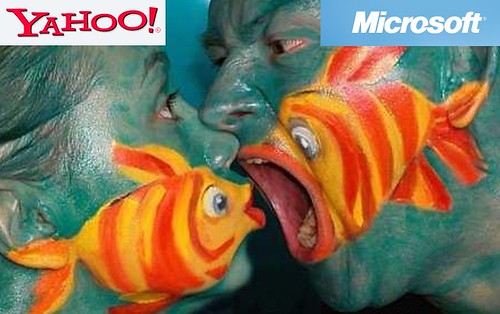
Yahoo and Microsoft are two giant company in the world. They capture a huge part of IT industry. Today the news headline from different sources found that Microsoft has offered to buy the Yahoo for $44.6 Billion in cash and shares.When I find this news, I didn't believe. But in Digg.com published this news mentioning differnet websites. At last I find this news from BBC and CNN.
BBC Says-
Microsoft wants to purchase Yahoo
Microsoft and Yahoo are both struggling to compete with GoogleMicrosoft has offered to buy the search engine company Yahoo for $44.6bn (£22.4bn) in cash and shares.
The offer, contained in a letter to Yahoo's board, is 62% above Yahoo's closing share price on Thursday.
Yahoo cut its revenue forecasts earlier this week and said it would have to spend an additional $300m this year trying to revive the company.
It has been struggling in recent years to compete with Google, which has also been a competitor to Microsoft.
See graph of Yahoo and Microsoft shares
In a conference call, Microsoft's Kevin Johnson said that the combination of the two companies would create an entity that could better compete with Google.
It is a shotgun marriage, but the person holding the shotgun is Google
Tim Weber, business editor, BBC News website
What's at stake, who will win?
"Today the market [for online search and advertising] is increasingly dominated by one player," he said.
Chairman quit
Yahoo confirmed that it has received an unsolicited offer and said that its board would evaluate the proposal, "carefully and promptly in the context of Yahoo's strategic plans and pursue the best course of action to maximize long-term value for shareholders."
If Yahoo accepted the offer, competition authorities both in the US and the European Union would be likely to investigate the tie-up.
Yahoo chief executive, Jerry Yang, announced on Tuesday that he intended to lay off 1,000 staff as part of a restructuring plan.
Terry Semel, who stepped down as chief executive last June, also quit as non-executive chairman on Thursday.
Microsoft said that Yahoo shareholders could choose to receive either cash or shares.
YAHOO'S FALLING PROFITS
Oct to Dec 2007 down 23%
July to Sept 2007 down 5%
April to June 2007 down 2%
Jan to March 2007 down 11%
Yahoo share price
Microsoft share price
Google share price
Yahoo shares have fallen 46% since reaching a year-high of $34.08 in October. They opened 51.2% higher.
Microsoft opened 4.3% lower while Google shares fell 6.8%.
"Ultimately this corporate marriage was forced by the rise of Google, which has grown into a serious competitor for both Microsoft as a Software company and Yahoo as an internet portal," said Tim Weber, business editor of the BBC News website.
"It is a shotgun marriage, but the person holding the shotgun is Google."
'Exorbitant premium'
According to its letter to Yahoo, Microsoft attempted to enter talks about a deal a year ago, but was rebuffed because Yahoo was confident about the "potential upside" presented by the reorganisation and operational activities that were being put in place at the time.
"A year has gone by, and the competitive situation has not improved," Microsoft's letter said.
But there has been some concern about the price that Microsoft is offering.
CNN- News
Microsoft was making a $44.6 billion bid to buy Yahoo was greeted with skepticism by many CNN.com users on Friday.
Microsoft is offering to buy struggling Internet search pioneer Yahoo.
The word "monopoly" came up repeatedly in e-mails from people concerned that Microsoft would stifle competition in the Internet search field.
Other readers said that Microsoft and Yahoo were a perfect fit and the deal would be good for consumers.
Shaun Carney said the deal would even help arch-rival Google.
"I think the increased competition this merger brings will force Google to stay on top of its game by offering more innovative Internet tools and expanding on the tools it already offers," he said.

Am a google fan….
I love google,because they are open to all…..
Google Scholar
Google Ads
Google Adsense
Google Adwords
Google Earth
Google Tool Bar for Firefox
Google Tool Bar for IE
Google Local
Google Froogle
Google Submit your Site
Google Satellite Pictures
Google Base
Google News
Google Groups
Google Blog
Google Blogger
Google Blog Search
Google Desktop
Google Print
Google Book Search
Google Image
Google Search
Google Search Cheat Sheet
Google Advanced Search
Google Talk
Google Gmail
Google Video
Google Alert
Google Finance
Google US Government Search
Google Linux Search
Google BSD Search
Google Mac/Apple Search
Google Microsoft Search
Google Web Search
Google Picasa
Google Translator
Google Page Creator
Google Dashboard Widgets for Mac
Google Blogger Web Comments Extension
Google Send to Phone
Google Transit
Google Reader
Google Web Accelerator
Google Ride Finder
Google Suggest
Google Site-Flavored Search Box
Google Froogle Mobile US
Google Froogle Mobile UK
Google Compute
Google Sets
Google Personalized Search
Google Pesonalized Homepage
Google SMS US
Google SMS UK
Google Glossary
Google Research Publications
Google Mars
Google Analytics
Google Local Business Center
Google Frugal Seller Services
Google Sitemaps
Google Video Upload
Google Books Partner
Google Mobile Partner
Google Gulp
Google Mini
Google Desktop Enterprise Edition
Google Toolbar Enterprise
Google Search Appliance
Google Store
Google Press Center
Google Jobs
Google Inside Google
Google Holiday Logos
Google Official Logos
Google Fan Logos
Google Investor Relations
Contact Google
Google Security Issues
Google Orkut
Google Permissions
Google Webmaster Info
Google Cached Links
Google Calculator
Google Currency Converter
Google Definitions
Google File Types
Google I’m Feeling Lucky
Google Movies
Google Music Search
Google News Headlines
Google Phonebook
Google Q&A
Google Search by Number
Google Site Search
Google Spell Checker
Google Stock Quotes
Google Travel Info
Google Weather
Google Who Links to You?
Google Pack
Google Newsletter
Google-Friends Newsletter Archive
Google Mobile
Google Code
Google Goopy
Google Explorer Canvas
Google Kongulo
Google LibJingle
Google Blogger for Word
Google Writely
Google Sketchup
Google Moms
Google Moms 2
Google Calender
Google Gum
Google Video Top 100
Google Da Vinci Code Quest
Google Romance
Google Why Use (Hacker Edition)
Google Search for Hackers
Google 3 Billion Milestone
Google Lucky
Google Registry Files 1 / 2
Google Current Communications
Google ????
Google Small Search
Google for IE Research
Google Elements Stats
Google Translate (Simple)
Google Loading
Google Reset
Google MentalPlex
Google University Search
Google Media Room
Google Milestones
Google Executives
Google Sitemap
"Googol" is the mathematical term for a 1 followed by 100 zeros. The term was coined by Milton Sirotta, nephew of American mathematician Edward Kasner, and was popularized in the book, "Mathematics and the Imagination" by Kasner and James Newman. Google's play on the term reflects the company's mission to organize the immense amount of information available on the web.